Last Updated: September 3, 2026 | 9:50 AM IST
Krishna Janmashtami AI Photo Editing Prompts 2026: Krishna Janmashtami 2026 falls on Friday, September 4, with the sacred Nishita Kaal midnight puja stretching into the early hours of September 5. Across India, devotees will fill homes and temples with flowers, diyas, and the sweet sound of flutes. This year, AI photo editing has added a beautiful new layer to the celebration. Anyone with a smartphone can now turn ordinary selfies or family pictures into stunning Krishna-inspired portraits in seconds.
Whether you use Gemini, ChatGPT image tools, Midjourney, or similar AI editors, the right prompt makes all the difference. Below you will find 13 unique, ready-to-use prompts crafted for maximum realism and devotion. For even more high-quality seasonal prompts, I always recommend checking techprompts.online — it is currently one of the best sources for fresh, tested AI photo prompts.
Table of Contents
Why AI Photo Editing Is Perfect for Janmashtami 2026
Krishna Janmashtami AI Photo Editing Prompts 2026: AI tools have become remarkably good at preserving facial identity while adding divine elements. You upload your photo, paste a detailed prompt, and receive a cinematic result that still looks like you. Popular themes this year include Bal Krishna with butter, flute-playing scenes by the Yamuna, temple backdrops, and festive Dahi Handi moments. The result feels personal yet spiritual — ideal for WhatsApp status, Instagram posts, or family greetings.
How to Get the Best Results from These Prompts
Follow these simple tips for cleaner, more realistic outputs:
- Always start with a clear, well-lit photo of the face.
- Add “preserve exact facial features, skin tone, and expression” at the beginning of every prompt.
- Specify vertical 4:5 or 3:4 format for mobile-friendly results.
- Request 8K detail, soft cinematic lighting, and no text or watermark.
- Generate 2–3 variations and pick the strongest one.
These small steps turn average results into gallery-worthy images.
Quick Reference Table: Krishna Janmashtami 2026 Essentials
| Detail | Information |
|---|---|
| Festival Date | September 4, 2026 (Friday) |
| Ashtami Tithi | Starts 2:25 AM Sept 4 – ends 12:13 AM Sept 5 |
| Nishita Kaal Puja | Approx. 11:57 PM Sept 4 – 12:43 AM Sept 5 |
| Rohini Nakshatra | Sept 4 |
| Dahi Handi | September 5, 2026 |
| Best AI Tools | Gemini, ChatGPT, Midjourney, Leonardo |
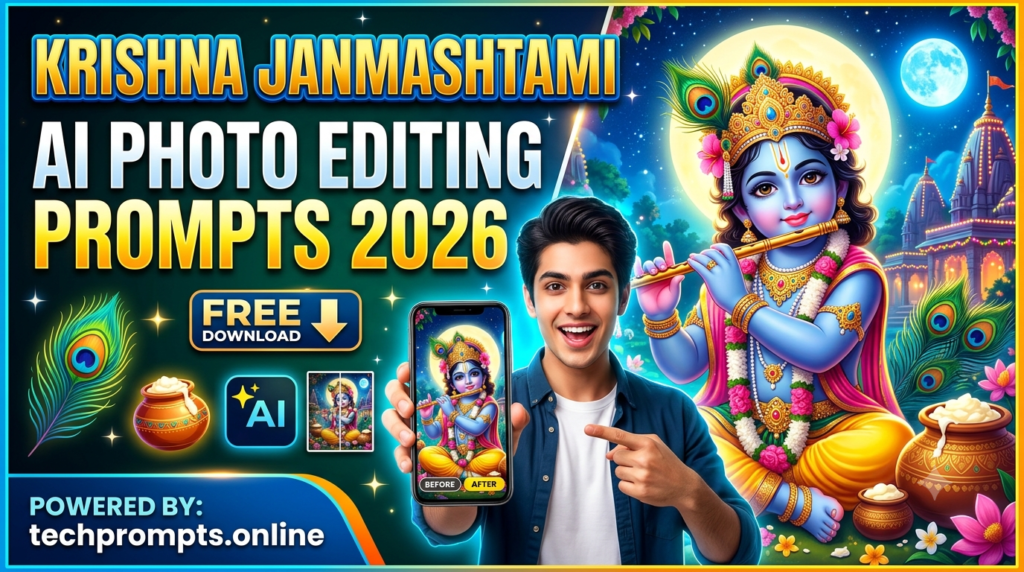
13 Unique Krishna Janmashtami AI Photo Editing Prompts
- Transform the person into a serene young Krishna sitting under a flowering kadamba tree at twilight, playing a wooden flute, soft blue and golden light, peacock feather crown, realistic skin texture, peaceful Vrindavan atmosphere, ultra-detailed 8K.
- Create a joyful Bal Krishna portrait of the person as a chubby smiling child holding a clay butter pot, yellow dhoti, peacock feather in hair, soft morning light inside a traditional courtyard, warm and playful mood.
- Place the person as Krishna standing on the banks of the Yamuna at moonrise, blue silk attire, flute in hand, gentle breeze moving the fabric, soft moonlight reflections on water, cinematic depth of field.
- Show the person as Krishna lifting Govardhan Hill with one hand, dramatic cloudy sky, devoted villagers and cows in the background, powerful yet compassionate expression, high-contrast lighting.
- Create a festive Dahi Handi scene where the person is part of a human pyramid reaching for the hanging pot, colourful traditional clothes, cheering crowd, bright daytime celebration energy.
- Portray the person as Krishna and Radha standing together in a flower-filled garden, soft pastel colours, gentle smiles, garlands of jasmine and marigold, golden-hour sunlight.
- Generate a temple portrait of the person dressed as Krishna sitting on a decorated jhula swing, surrounded by diyas and marigold garlands, soft warm indoor lighting, devotional calm.
- Show the person as Makhan Chor Krishna caught mid-smile with butter on his face and hands, playful expression, traditional courtyard setting, soft natural light, high detail.
- Create a modern fusion portrait: the person in elegant blue silk kurta or lehenga standing in front of a giant glowing Krishna mural, soft neon and traditional lighting mix, contemporary yet spiritual.
- Place the person as Krishna surrounded by dancing peacocks in a lush green meadow, flute resting on the shoulder, soft diffused sunlight, dreamy and peaceful atmosphere.
- Generate a close-up blessing portrait of the person as Krishna with one hand raised in abhaya mudra, soft blue aura, peacock feather, warm golden backlight, highly detailed eyes and skin.
- Show the person as young Krishna walking barefoot through a flower-strewn path in Vrindavan at dawn, cows following, soft mist, gentle smile, natural cinematic colours.
- Create a group-style festive portrait of the person as Krishna celebrating with friends, colourful rangoli, hanging lights, joyful expressions, vibrant Janmashtami night energy.
Copy any of these prompts, upload your photo, and let the AI work. Slight adjustments to clothing colour or background can personalise them further.
Conclusion
Krishna Janmashtami AI Photo Editing Prompts 2026: Janmashtami 2026 is the perfect moment to blend tradition with technology. These 13 AI photo editing prompts let you create personal, beautiful, and shareable Krishna-inspired images without any design skills. Use them for social media, family albums, or simply to feel closer to the festive spirit. For more refined and regularly updated prompt collections throughout the year, visit techprompts.online.
May your Janmashtami be filled with joy, devotion, and a few magical AI-created memories.
Frequently Asked Questions
1. Which AI tool works best for these Krishna Janmashtami prompts?
Gemini and ChatGPT currently give excellent face-preserving results. Midjourney is strong for pure artistic quality.
2. Can I use these prompts with my family photos?
Yes. The prompts are designed to keep facial identity intact while adding festive elements.
3. How long does it take to generate one image?
Most tools produce results within 10–40 seconds depending on the platform and settings.
4. Are these prompts suitable for Instagram Reels as well?
Absolutely. Generate the still image first, then use any image-to-video AI tool with a simple motion prompt for short festive reels.