Last Updated: September 3, 2026, 9:30 AM IST
Best Janmashtami AI Photo Editing Prompts for Lord Krishna 2026: Janmashtami 2026 falls on Friday, September 4. Across most of India the main observance and midnight Nishita Kaal puja take place on this date, with celebrations continuing into the early hours of September 5. As devotees prepare their homes, temples, and social media feeds, one trend stands out: using AI tools to create personalised, high-quality images of Lord Krishna or transform your own photos into divine scenes.
Whether you want a serene flute-playing Krishna, a playful Makhan Chor, or a festive portrait that includes yourself beside the Lord, the right prompt makes all the difference. This guide gives you 13 unique, ready-to-use AI photo editing prompts written specifically for Janmashtami 2026. They work well with popular tools like Gemini, ChatGPT image generation, Midjourney, Leonardo, or Flux. For even more refined and regularly updated prompt collections, I recommend checking techprompts.online.
Table of Contents
Why AI Photo Editing Is Perfect for Janmashtami Celebrations
Best Janmashtami AI Photo Editing Prompts for Lord Krishna 2026: Traditional paintings and stock images are beautiful, but they rarely feel personal. AI lets you keep your own facial features, skin tone, and expression while placing yourself in a Vrindavan landscape, beside baby Krishna, or in the middle of a Dahi Handi celebration. The results look cinematic, shareable, and deeply meaningful for WhatsApp statuses, Instagram posts, family groups, or temple displays.
The best prompts balance three things: clear identity preservation (so the face stays recognisable), rich cultural details (peacock feather, yellow dhoti, flute, butter pot, Yamuna river), and atmospheric lighting (moonlight, soft golden hour, temple lamps). Get these right and the output feels respectful rather than generic.
Key Elements Every Strong Krishna Prompt Needs
Before diving into the list, remember these building blocks. Include them and your results improve dramatically:
- Exact instruction to preserve the uploaded face and natural skin tone
- Specific attire and accessories (yellow silk dhoti, peacock-feather crown, golden jewellery, tilak)
- Setting details (moonlit Yamuna banks, Vrindavan forest, decorated temple, village courtyard)
- Lighting and mood (soft divine glow, warm festive lights, serene atmosphere)
- Quality boosters (ultra-realistic, 8K, photorealistic skin texture, no text or watermark unless wanted)
A simple table summarises the most useful prompt styles for different needs:
| Prompt Style | Best For | Key Features | Ideal Aspect Ratio |
|---|---|---|---|
| Classic Flute Portrait | Devotional posts & wallpapers | Serene expression, moonlight | 4:5 or 3:4 |
| Playful Makhan Chor | Family & kids’ content | Butter pot, mischievous smile | 4:5 |
| Personal Companion Scene | Including yourself with Krishna | Face preserved, side-by-side pose | 4:5 |
| Festive Celebration | Statuses & group shares | Dahi Handi, lights, energy | 9:16 or 4:5 |
| Baby Krishna / Bal Gopal | Cute & emotional posts | Soft lighting, butter theme | 1:1 or 4:5 |
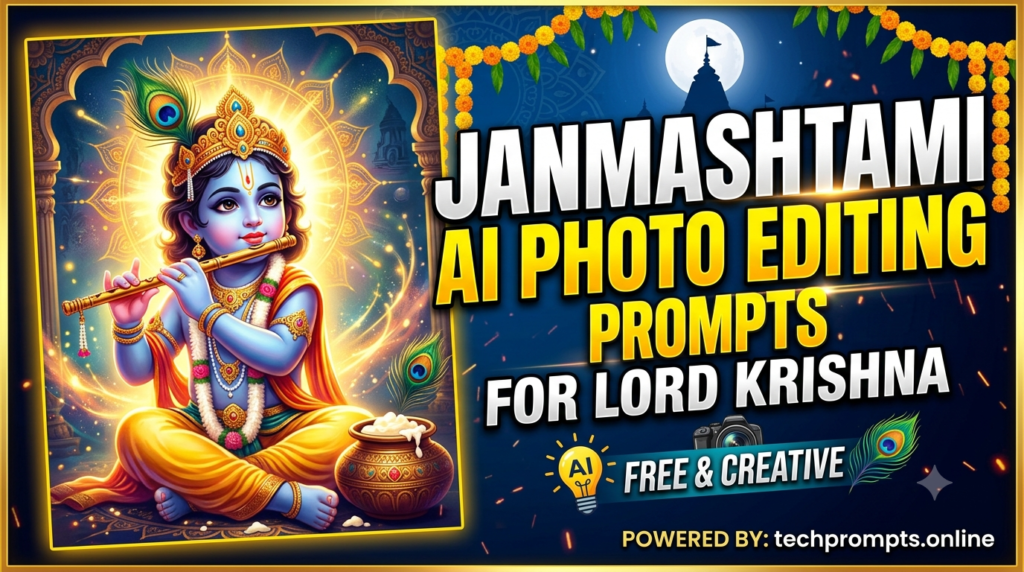
13 Unique Janmashtami AI Photo Editing Prompts for Lord Krishna
Best Janmashtami AI Photo Editing Prompts for Lord Krishna 2026: Copy any of these, upload your photo if the tool supports it, and generate. Feel free to swap “the person” with a name or add small personal details.
- Transform the person in the uploaded photo into a serene Lord Krishna portrait. Keep the exact facial features, skin tone, eyes and natural expression. Dress them in a soft yellow silk dhoti and ornate golden jewellery with a delicate peacock-feather crown. Place them barefoot on the moonlit banks of the Yamuna in Vrindavan, peacefully playing a golden flute. Soft silver moonlight, gentle mist, ultra-realistic skin texture, vertical 4:5 composition, no text, no watermark.
- Create a joyful Makhan Chor scene using the uploaded photo. Preserve the person’s recognisable face and expression. Show them as young Krishna with a mischievous smile, yellow dhoti, peacock feather, and butter smeared lightly on one cheek, holding a clay pot of fresh butter. Warm courtyard lighting, rural Gokul background, soft morning glow, highly detailed and festive, vertical format.
- Turn the uploaded photo into a peaceful companion scene. Keep the face identical. The person sits cross-legged beside Lord Krishna on a lush green hill overlooking a misty valley. Krishna plays the flute while the person looks at him with devotion. Soft golden hour light, gentle divine aura, photorealistic, 4:5 ratio.
- Generate an ultra-realistic Baby Krishna image based on the uploaded child’s photo if provided, or create a classic Bal Gopal. Adorable infant Krishna sits on a giant decorated butter pot, holding a small piece of butter, golden crown with peacock feather, soft blueish divine skin tone, warm temple lighting, gentle smile, 8K quality.
- Create a festive Dahi Handi celebration portrait from the uploaded photo. Preserve facial identity completely. The person stands in the middle of a lively human pyramid reaching toward a hanging clay pot, dressed in Krishna-inspired yellow attire with peacock feather. Energetic crowd, colourful decorations, bright daylight, dynamic yet natural pose, vertical composition.
- Transform the person into a royal Krishna standing in a grand temple courtyard. Exact face retained. Elegant yellow and blue silk attire, full traditional jewellery, peacock crown, one hand raised in blessing. Soft lamp light, marigold garlands, incense smoke, cinematic depth, photorealistic.
- Generate a quiet riverside moment. Using the uploaded photo, keep every facial detail. The person sits on a smooth rock by the Yamuna at dusk while Lord Krishna stands nearby playing the flute. Lotus flowers floating, soft purple-orange sky, peaceful atmosphere, ultra-detailed.
- Create a warm family-style Janmashtami portrait. The person (face preserved) offers a flower garland to a beautiful idol of Lord Krishna inside a decorated home temple. Soft diya light, rangoli, fresh flowers, spiritual and intimate mood, high resolution.
- Turn the uploaded photo into a youthful Krishna in a flowering Vrindavan meadow. Preserve natural features. Yellow dhoti, peacock feather, flute in hand, gentle breeze moving the clothes and grass, golden hour sunlight, fireflies, dreamy yet realistic style.
- Generate a powerful Govardhan-themed scene. The person stands respectfully beside Lord Krishna who lifts the Govardhan hill. Keep the face exact. Dramatic cloudy sky, villagers in the background, divine energy glow, cinematic lighting, vertical 4:5.
- Create a soft watercolour-inspired yet realistic portrait. Face of the uploaded person remains unchanged. Krishna-style attire and flute, standing under a flowering tree with peacocks nearby. Gentle pastel tones mixed with realistic skin texture, serene expression, high quality.
- Transform the photo into a night-time temple blessing scene. Exact face kept. The person stands with folded hands while Lord Krishna places a gentle hand of blessing on their head. Soft golden aura, glowing diyas, temple pillars, deeply spiritual atmosphere.
- Generate a joyful group-celebration style image. The person (identity preserved) dances lightly in a circle of devotees during Janmashtami, wearing simple Krishna-inspired clothes and a peacock feather. Colourful lights, marigold petals in the air, happy expressions, warm festive glow, vertical format perfect for stories.
Pro Tips for Getting the Best Results
- Always start with a clear, well-lit front-facing photo of yourself or the subject.
- If the first result changes the face too much, add stronger language such as “preserve exact facial identity, skin tone, eye shape and natural expression with zero changes.”
- Experiment with aspect ratios: 4:5 for Instagram posts, 9:16 for stories and reels.
- Generate a few variations and pick the most respectful and natural-looking one.
- For more advanced and regularly refreshed prompt libraries focused on festivals and photo editing, visit techprompts.online. It is one of the better places to stay updated with high-quality, tested prompts.
Frequently Asked Questions
Which AI tools work best with these prompts?
Gemini, ChatGPT’s image features, Leonardo AI, Flux, and Midjourney all handle these well. Results improve when the tool supports reference image upload.
Can I use these prompts for commercial or temple use?
For personal, family, and social sharing they are perfect. For commercial projects or large printed materials, check the terms of the specific AI platform you use.
How do I make the images look more traditional and less AI-generated?
Add phrases like “photorealistic skin texture, natural pores, soft cinematic lighting, no plastic look” and avoid overloading the prompt with too many effects.
Is it respectful to create AI images of Lord Krishna?
When done with devotion, accurate traditional details, and a sincere intention, most devotees find them a beautiful modern way to celebrate and share the joy of Janmashtami.
Best Janmashtami AI Photo Editing Prompts for Lord Krishna 2026: Janmashtami is about celebrating the birth of the divine who taught us love, playfulness, and wisdom. These AI prompts simply give us a new creative way to express that devotion. Generate a few images, share them with family, and let the festive spirit of Krishna fill your feeds and your heart.
Happy Janmashtami 2026. May Lord Krishna’s flute melody bring peace and joy to everyone.