Updated: September 5, 2026
Ganpati Bappa Eyes Prompt AI Photo Editing
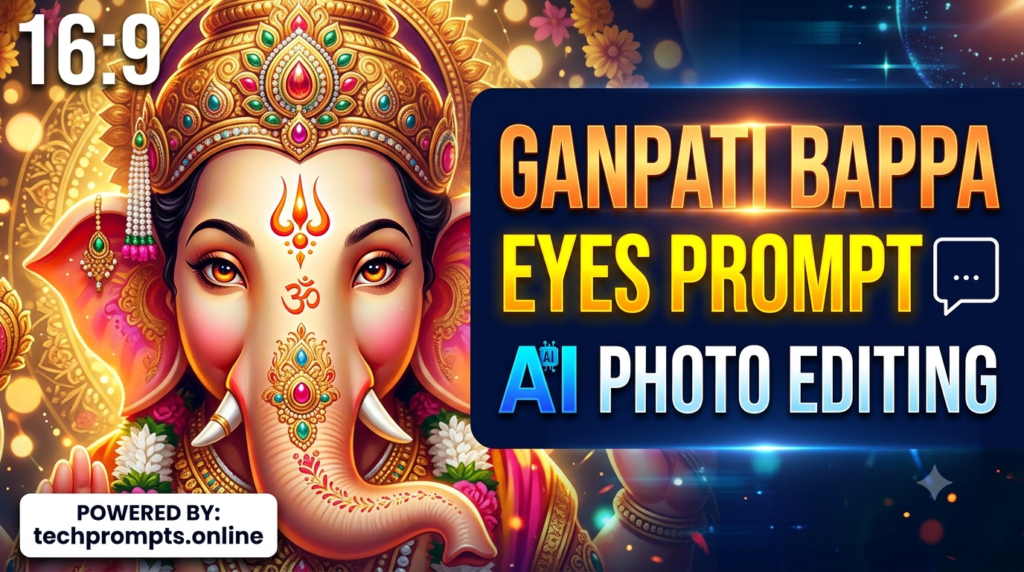
Ganpati Bappa Eyes Prompt AI Photo Editing: AI photo editing has made devotional image creation more creative and accessible. One especially beautiful trend is Ganpati Bappa eyes prompt AI photo editing, where artificial intelligence is used to enhance the eyes, expression, glow, lighting, and overall spiritual atmosphere of a Lord Ganesha image.
With a well-written prompt, you can create a more expressive and visually powerful Ganpati Bappa photo while keeping the original design recognizable. Modern AI editors increasingly allow users to describe an edit in natural language, while selection-based tools can limit changes to a particular area such as the eyes.
Table of Contents
| Information | Details |
|---|---|
| Main Topic | Ganpati Bappa Eyes Prompt AI Photo Editing |
| Best For | Ganpati photos, festival posts, wallpapers, social media |
| Prompts Included | 8 unique prompts |
| Editing Style | Spiritual, realistic, cinematic and devotional |
| Difficulty | Beginner-friendly |
| Updated | September 5, 2026 |
Why Ganpati Bappa Eyes Editing Is Trending
The eyes are one of the most expressive elements of a devotional image. A subtle improvement in brightness, reflection, sharpness or surrounding light can make a Ganpati photo feel more peaceful and visually engaging.
AI editing tools can now understand natural-language instructions such as improving lighting, changing atmosphere or refining selected areas. Adobe’s current guidance also recommends making prompts specific and descriptive for better results.
For Ganpati Bappa images, you can ask AI to:
- Make the eyes sharper and more expressive.
- Add a natural divine glow.
- Improve reflections in the eyes.
- Enhance facial details without changing the idol’s identity.
- Add warm festival lighting.
- Create a cinematic devotional atmosphere.
- Improve image clarity and resolution.
- Keep the original ornaments, face and artistic details intact.
The goal should not be to make the image look artificial. Subtle, controlled editing generally produces a more beautiful result.
8 Unique Ganpati Bappa Eyes AI Photo Editing Prompts
Here are eight ready-to-use prompts. You can adapt them for your preferred AI photo editor.
1. Divine Eye Glow Prompt
“Enhance the eyes of Lord Ganesha with a subtle divine glow, crystal-clear details and soft natural reflections. Keep the original facial structure, idol design, ornaments and expression unchanged. Create a peaceful spiritual atmosphere with realistic lighting and high-detail photography.”
2. Realistic Eyes Enhancement Prompt
“Improve only the eyes of Ganpati Bappa, making them sharper, clearer and naturally expressive. Preserve the original face, colors, crown, ornaments and artistic style. Add realistic eye reflections and soft surrounding illumination without making the result artificial.”
3. Golden Festival Glow Prompt
“Enhance Ganpati Bappa’s eyes with a warm golden festival glow. Add realistic highlights and gentle reflections while preserving the original facial expression and idol design. Use soft festive lighting, rich details and a premium devotional photography look.”
4. Cinematic Ganpati Eyes Prompt
“Create a cinematic devotional enhancement of Lord Ganesha’s eyes. Make the eyes detailed, expressive and naturally illuminated with subtle reflections. Preserve the original statue, face and ornaments. Add soft depth, dramatic but respectful lighting and a high-resolution cinematic finish.”
5. Peaceful Spiritual Eyes Prompt
“Make Ganpati Bappa’s eyes appear calm, peaceful and spiritually radiant. Improve sharpness and natural reflections while keeping every original facial feature unchanged. Add a soft heavenly glow around the face with realistic textures and elegant devotional lighting.”
6. Premium Portrait Prompt
“Transform this Ganpati Bappa image into a premium devotional portrait. Carefully enhance the eyes with realistic clarity, balanced highlights and subtle reflections. Preserve the original idol identity, facial proportions, jewelry and decorations. Use professional portrait lighting and highly detailed textures.”
7. Red-Gold Celebration Prompt
“Enhance Lord Ganesha’s eyes with beautiful natural reflections and a subtle divine shine. Create an elegant red-and-gold festive atmosphere around the original image while keeping the idol’s face and design unchanged. Maintain realistic textures, balanced contrast and premium photographic quality.”
8. Ultra-Detailed Devotional Prompt
“Enhance the entire facial area of Ganpati Bappa with special attention to the eyes. Increase fine details, natural sharpness and realistic reflections while preserving the original expression, proportions, ornaments and colors. Add soft divine illumination and an ultra-detailed devotional photography finish.”
Expert Tips for Better AI Ganpati Photo Editing
A strong prompt is only one part of the process. Selection and precision matter too. Current AI editing workflows allow users to select a specific region before applying a generative edit, which is particularly useful when you only want to change the eyes. (Adobe Help Center)
For better results:
- Use a clear original image: A sharp source gives AI more useful visual information.
- Select the eyes carefully: If your editor supports selections, isolate the eye area instead of editing the entire face.
- Mention what must remain unchanged: Include phrases such as “preserve original face and ornaments.”
- Avoid excessive effects: Too much glow can make devotional images look unrealistic.
- Generate multiple variations: Compare the results and select the most natural version.
- Use reference images when appropriate: Reference-image features can help guide composition and visual consistency.
- Check small details: Look closely at eyes, jewelry, trunk, crown and facial symmetry before publishing.
- Keep the devotional character respectful: AI should enhance the artwork rather than distort its identity.
For creators who regularly work with AI image prompts, techprompts.online can also be a useful destination for discovering more prompt ideas and creative AI techniques.
Conclusion
Ganpati Bappa eyes prompt AI photo editing is a simple way to give devotional images a more expressive, polished and visually attractive appearance. The best results come from combining a clear source image, precise selection and a descriptive prompt.
Whether you want a divine eye glow, realistic reflections, cinematic lighting or a premium festival look, these eight prompts provide a strong starting point. Modern AI editors can make targeted changes through natural-language instructions, but the final creative decision still belongs to the editor. As Ganesh Chaturthi 2026 approaches—with the festival observed on September 14, 2026 according to the cited calendar source—creative Ganpati images are especially timely for wallpapers, greetings, social media posts and devotional designs.
Use AI thoughtfully, keep the original character of Ganpati Bappa intact, and focus on natural beauty rather than excessive effects. That is the secret to making an AI-edited devotional image look genuinely impressive.