Last Updated: September 6, 2026 | 07:53 AM IST
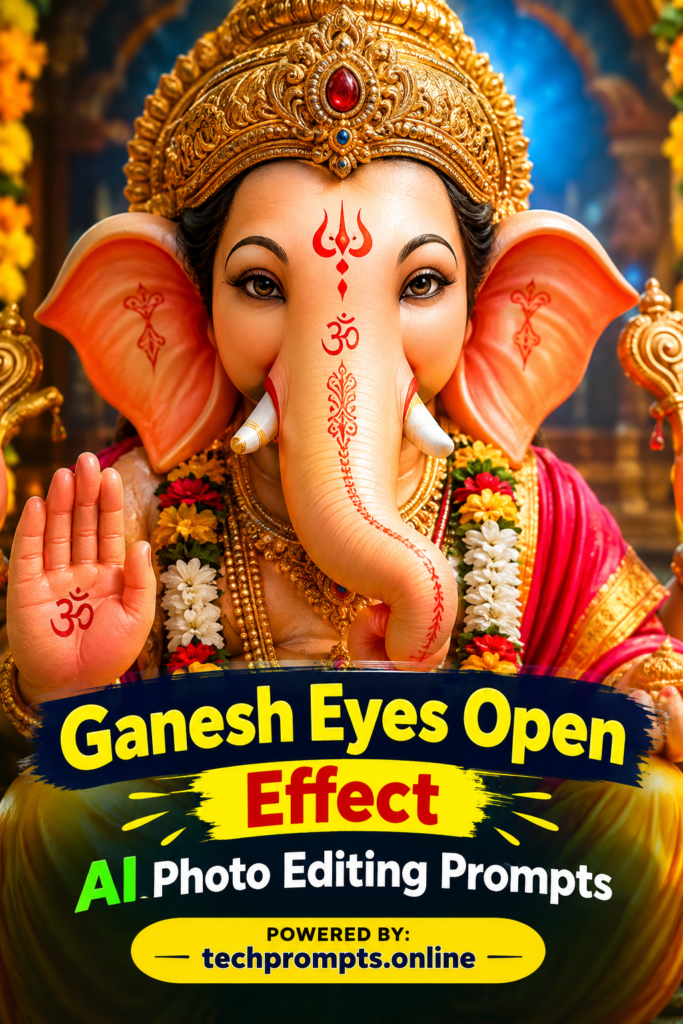
Ganesh Eyes Open Effect AI Photo Editing Prompts: Lord Ganesha’s eyes carry a special power. When they are closed, he appears lost in deep meditation. When they open, the entire image comes alive with blessing, wisdom, and presence. In 2026, AI photo editing tools have made it surprisingly easy to create this “eyes open” effect with striking realism. Whether you are preparing festive posts for Ganesh Chaturthi, designing spiritual wallpapers, or simply want a powerful portrait of Bappa looking straight at the viewer, the right prompt makes all the difference.
This guide gives you nine carefully written prompts that focus on the eyes-open effect. They work well with Google Gemini, ChatGPT image tools, Midjourney, and similar AI editors. Use a clear reference photo of a Ganesha idol or your own face if you want a personal fusion, and let the AI handle the rest.
Table of Contents
Why the Eyes Open Effect Matters in Ganesha AI Edits
Closed eyes create calm and introspection. Open eyes create connection. Viewers feel as if Ganesha is looking directly at them, offering protection and removing obstacles. Modern AI models handle micro-details beautifully—iris patterns, soft reflections, gentle highlights on the lashes, and the subtle warmth in the gaze. When you describe these elements clearly, the results look natural instead of artificial.
Many creators still struggle because their prompts stay too vague. Simply writing “Ganesha with open eyes” often produces average results. The prompts below add lighting, texture, emotion, and framing so the eyes become the emotional center of the image.
Key Elements That Make Eyes Open Prompts Work
Here are the details that consistently improve results:
- Mention the exact eye state (fully open, gently open, soft divine gaze)
- Describe iris color and texture (warm brown, golden flecks, intricate radial patterns)
- Add lighting that hits the eyes (soft golden rim light, gentle catch lights)
- Keep facial structure and skin texture consistent with the reference
- Specify mood (compassionate, wise, protective, joyful)
These small additions turn an ordinary edit into something that feels sacred and shareable.
Comparison Table: Closed Eyes vs Eyes Open Effect
| Aspect | Closed Eyes Style | Eyes Open Effect Style |
|---|---|---|
| Emotional Feel | Peaceful, meditative, inward | Connected, blessing, present |
| Viewer Engagement | Calm observation | Direct eye contact and stronger emotional pull |
| Best Use Cases | Meditation wallpapers, quiet posts | Festival greetings, profile pictures, reels |
| Lighting Preference | Soft ambient glow | Catch lights + soft golden highlights on eyes |
| Detail Focus | Eyelids and serene expression | Iris patterns, pupil, lashes, gaze direction |
| Social Media Performance | Good for calm feeds | Higher saves and shares due to direct gaze |
9 Ready-to-Use Ganesh Eyes Open Effect AI Photo Editing Prompts
Copy any of these and paste them into your preferred AI tool. Replace or upload a reference image when the tool allows it.
- Ultra-realistic close-up of Lord Ganesha with eyes fully open, warm brown irises filled with intricate golden flecks and soft radial patterns, gentle catch lights reflecting in both pupils, compassionate and wise gaze looking straight at the viewer, soft golden rim lighting on the eyelids and lashes, detailed elephant skin texture, ornate golden crown slightly glowing, peaceful divine expression, 8K cinematic quality.
- Photorealistic portrait of Lord Ganesha eyes gently open in a soft blessing gaze, large expressive eyes with natural moisture and fine eyelash detail, warm amber iris with subtle depth, soft diya light illuminating the face from below, marigold petals floating nearby, serene smile, traditional red and gold attire, temple background softly blurred.
- Extreme close-up of Ganesha’s open eyes, hyper-detailed iris with complex patterns and tiny golden highlights, pupils slightly dilated with soft reflection of diyas, long natural lashes catching light, skin pores and fine lines visible for realism, dark background focusing only on the eyes, spiritual and powerful mood.
- Cinematic medium shot of Lord Ganesha seated in blessing posture, both eyes fully open and looking forward with kindness, rich brown irises with realistic texture, soft volumetric golden light creating gentle highlights in the eyes, intricate jewelry and crown, warm festive atmosphere with floating incense smoke.
- Divine portrait of baby Ganesha with large open eyes full of curiosity and innocence, bright clear irises with soft reflections, chubby cheeks and gentle smile, soft natural daylight mixed with warm golden tones, playful yet sacred feel, high detail on eye moisture and lashes.
- Side-profile close-up of Lord Ganesha turning slightly toward the camera, one eye fully visible and open with deep compassionate gaze, detailed iris and subtle catch light, golden crown catching rim light, soft shadow on the other side of the face, ultra-realistic skin and fabric textures.
- Festive Ganesha idol style edit with eyes wide open in joyful blessing, sparkling reflections in the eyes from surrounding diyas and fairy lights, warm orange and gold color palette, marigold garlands around the neck, sharp focus on the open eyes while background remains softly glowing.
- Mystical Ganesha emerging from soft clouds, eyes fully open radiating calm wisdom, soft ethereal light filling the irises, gentle golden aura around the head, detailed elephant features and serene expression, dreamy yet photorealistic style suitable for spiritual wallpapers.
- Traditional temple-style portrait of Lord Ganesha with eyes open in protective gaze, realistic brown eyes with fine details and natural moisture, soft oil-lamp lighting creating warm highlights, rich red dhoti and gold ornaments, subtle incense smoke, highly detailed and reverent atmosphere.
How to Get the Best Results Every Time
Upload a clear reference photo of a Ganesha idol or sculpture when possible. Keep the face description consistent across edits. If the eyes still look slightly unnatural, add phrases like “natural eye moisture,” “realistic iris texture,” or “soft catch lights.” Generate a few variations and pick the one where the gaze feels most alive.
For more refined and regularly updated AI photo editing prompts, including seasonal festival collections, visit techprompts.online. The site offers practical, tested prompts that help creators stay ahead without endless trial and error.
Conclusion
The eyes open effect transforms a standard Ganesha image into something that feels personal and powerful. With the nine prompts shared above, you can create portraits that look both divine and realistic in just a few minutes. Experiment with lighting and framing, keep the focus on the gaze, and you will notice how much stronger the emotional connection becomes. Whether you are posting for Ganesh Chaturthi or simply want a beautiful daily reminder of Bappa’s presence, these prompts give you a strong starting point. Try them today and share the results—may every image carry blessings and remove obstacles.