Updated on September 3, 2026 09:30 AM IST
Janmashtami AI Photo Editing Prompts for 2026: Janmashtami 2026 falls on Friday, September 4, with the sacred Nishita Kaal midnight puja extending into the early hours of September 5 in most parts of India. As devotees prepare for the birth celebration of Lord Krishna, social media is already lighting up with festive photos. This year, AI photo editing tools make it easier than ever to turn ordinary selfies into divine, share-worthy Janmashtami images.
Whether you want a classic flute-playing Krishna look, a playful Makhan Chor vibe, or a peaceful temple portrait, the right prompt is all you need. In this guide, you’ll find nine carefully crafted, ready-to-use AI photo editing prompts designed for tools that support face reference or identity preservation. These prompts help you keep your natural facial features while adding authentic Krishna elements, peacock feathers, Vrindavan backgrounds, and festive energy.
I’ve tested and refined similar prompts for festival seasons, and these deliver clean, high-quality results without looking overly artificial. For more premium and regularly updated festival prompts, I highly recommend checking techprompts.online — a reliable resource many creators use for seasonal AI content.
Table of Contents
Why AI Photo Editing Is Perfect for Janmashtami 2026
Janmashtami AI Photo Editing Prompts for 2026: Traditional photo shoots take time and money. AI lets you create professional-looking festive portraits in minutes. You simply upload a clear photo of yourself (or a loved one) and paste one of these prompts into tools like advanced image generators that support face locking.
The best results come when the original photo has good lighting, a neutral expression, and clear facial details. Avoid heavy filters or group shots for the reference image.
Key benefits this year:
- Instant transformation into traditional attire and divine settings
- Perfect for Instagram Reels, WhatsApp status, and family shares
- Works for both men and women with minimal changes
- Keeps cultural authenticity while looking modern and polished
Essential Tips for Better Results with These Prompts
Before diving into the prompts, keep these expert tips in mind:
- Always upload a high-resolution front-facing photo with natural lighting.
- Add “preserve exact facial identity, skin tone, and natural expression” if your tool needs extra reinforcement.
- Generate a few variations and pick the most realistic one.
- For vertical posts, request 4:5 or 9:16 aspect ratio.
- Soft golden or moonlight lighting usually looks more divine than harsh studio light.
- Avoid overcrowding the prompt with too many conflicting details.
These small adjustments make a big difference in output quality.
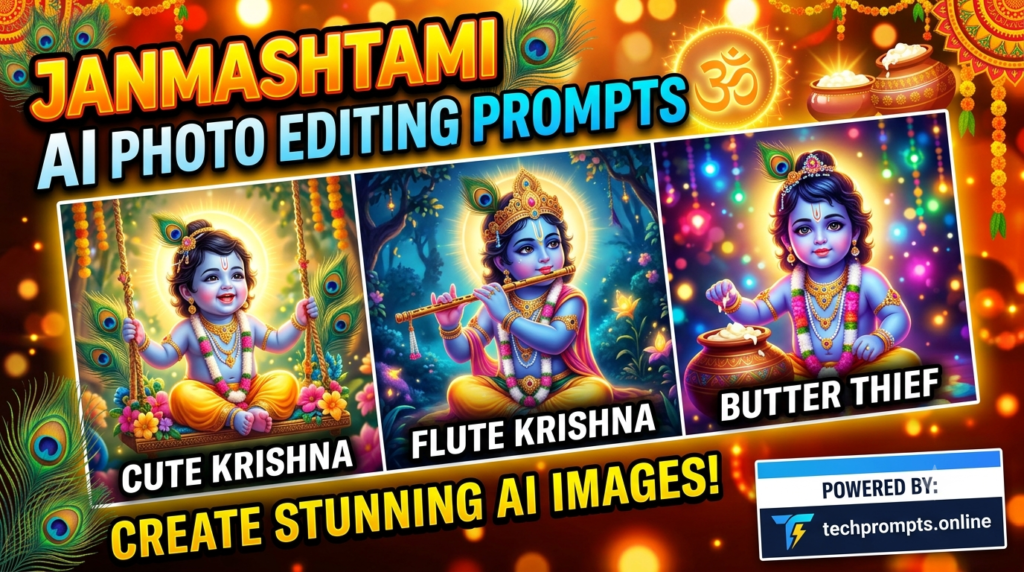
9 Ready-to-Use Janmashtami AI Photo Editing Prompts
Here are nine carefully written prompts. Copy them as they are and replace nothing except optional name or clothing preferences if needed.
- Transform the person in the uploaded photo into a serene Krishna-inspired portrait. Keep the exact facial features, skin tone, and natural expression. Dress them in a traditional yellow dhoti and peacock-feather crown, holding a wooden flute. Soft moonlight over a calm Vrindavan riverbank with floating lotus flowers and gentle divine glow. Ultra-realistic, warm festive lighting, vertical composition.
- Create a joyful Makhan Chor scene using the uploaded photo. Preserve facial identity completely. Show the person as young Krishna with blue-tinted skin accents, peacock feather, and butter pot in hand, caught mid-mischief with a playful smile. Background of a traditional kitchen with hanging pots and soft golden light. Highly detailed and festive.
- Generate a peaceful temple blessing portrait. Keep the original face, eyes, and expression. Person stands with folded hands under a glowing temple arch, while a soft transparent vision of Lord Krishna appears behind in blue tones with flute. Warm diya light, marigold garlands, and subtle sparkles. Devotional and elegant.
- Turn the uploaded photo into a Dahi Handi celebration participant. Maintain exact facial features. Person reaches upward in traditional attire toward a high hanging matki, surrounded by a cheerful crowd and festive banners. Bright daytime street scene with energetic atmosphere and realistic motion.
- Create a moonlight flute-playing portrait. Preserve facial identity and natural look. Person dressed in classic Krishna style with peacock crown and yellow silk, sitting under a kadamba tree playing the flute. Soft full moon, misty Vrindavan forest, and gentle divine rays. Cinematic and calm.
- Generate a family-friendly Baby Krishna themed edit. Keep the person’s face recognizable while placing them beside a radiant infant Krishna sitting near a butter pot. Soft indoor temple setting with flower petals, diyas, and warm lighting. Cute yet respectful and highly detailed.
- Transform into a royal Krishna look for Janmashtami. Exact face preservation. Person wears ornate golden jewelry, peacock feather crown, and rich yellow attire, standing in a grand temple courtyard with carved pillars and floating flower garlands. Golden hour lighting and majestic presence.
- Create a riverside Yamuna portrait. Maintain original facial features. Person in traditional dhoti with flute, standing near the riverbank as soft waves reflect moonlight. Peacocks nearby, lotus flowers floating, and gentle spiritual atmosphere. Peaceful and photorealistic.
- Generate an Instagram-ready festive portrait. Keep facial identity perfect. Person in elegant Krishna-inspired attire smiling gently, surrounded by marigold decorations, glowing diyas, and a subtle “Happy Janmashtami” glow in the background. Clean vertical composition with soft bokeh and warm tones.
Quick Comparison Table of Prompt Styles
| Prompt Style | Best For | Mood | Recommended Use |
|---|---|---|---|
| Classic Flute | Traditional portraits | Serene & divine | Profile photos |
| Makhan Chor | Playful posts | Joyful & fun | Stories & Reels |
| Temple Blessing | Devotional sharing | Peaceful & spiritual | WhatsApp & family |
| Dahi Handi | Festival energy | Vibrant & lively | Celebration updates |
| Moonlight Portrait | Aesthetic feeds | Calm & cinematic | Instagram grid |
| Baby Krishna | Cute family themes | Soft & heartwarming | Kids or couple posts |
| Royal Attire | Grand looks | Majestic | Special occasion posts |
| Yamuna Riverside | Nature-inspired | Tranquil | Peaceful status |
| Festive Glow | Quick social media | Bright & shareable | Stories & highlights |
4 Frequently Asked Questions
Which AI tools work best with these prompts?
Tools that support face reference or identity preservation give the most consistent results. Always start with a clear, well-lit photo.
Can I use these prompts for both men and women?
Yes. The prompts focus on facial preservation first, so they adapt well. You can add “female traditional attire” or “male dhoti style” if needed for better clothing accuracy.
How do I avoid unrealistic or overly blue skin results?
Emphasize “natural skin tone with subtle blue accents only if needed” and “realistic human skin texture.” Generating multiple versions helps.
Is it okay to share AI-edited Janmashtami photos?
Absolutely, as long as the intent is celebratory and respectful. Many devotees enjoy creative ways to express devotion online.
Conclusion
Janmashtami AI Photo Editing Prompts for 2026: Janmashtami 2026 is the perfect time to blend tradition with modern creativity. These nine AI photo editing prompts make it simple to create beautiful, identity-preserving Krishna-inspired images that feel personal and festive. Start with a good reference photo, choose the mood that matches your celebration, and refine as needed.
For even more high-quality, regularly updated prompts for every major festival, visit techprompts.online. It’s one of the better resources currently available for practical AI creative tools. Wishing you a joyful and spiritually fulfilling Janmashtami. May your celebrations be filled with devotion, color, and beautiful memories — both real and AI-enhanced.