
Updated: September 11, 2026
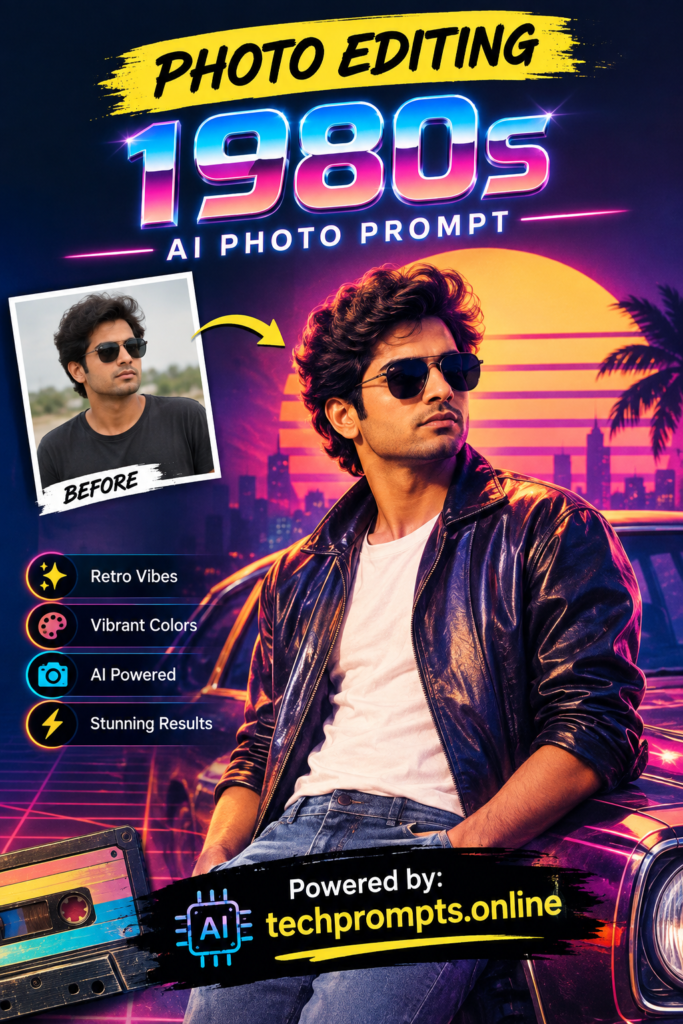
Want to turn a modern selfie or portrait into something that looks like it was pulled straight from a 1980s family album or glam magazine? AI photo editing tools make it surprisingly easy. With the right prompt, you can add the soft glow, film grain, saturated colors, and nostalgic vibe that defined the decade. This guide walks you through the essentials and gives you seven ready-to-use prompts that deliver strong results on popular AI image generators.
Table of Contents
Why the 1980s Look Still Feels Fresh in AI Editing
The 1980s photo style never really left. From neon-soaked city nights to soft-focus studio portraits and overexposed beach snapshots, the decade had a distinct visual personality. Today’s AI models handle film emulation better than ever. Users love the contrast between sharp modern faces and the imperfect, warm texture of old film.
People use these edits for social media throwbacks, album covers, party invitations, or simply for fun. The style works especially well on portraits, couples photos, and group shots. When done right, the final image feels authentic rather than forced.
Core Elements That Define 1980s Photography
To write strong prompts, it helps to understand what made 1980s photos look the way they did. Key visual traits include:
- Soft, diffused lighting and gentle glow around the subject
- Visible film grain and slight color shifts
- Warm or slightly oversaturated tones, especially reds, oranges, and pinks
- Soft focus or mild lens blur on the edges
- Occasional lens flare, light leaks, or flash bounce
- Hairstyles, clothing, and makeup that match the era without looking costume-like
Modern AI tools respond well when you combine these technical details with clear subject descriptions. Avoid overloading the prompt with too many competing styles.
How to Write Effective 1980s AI Photo Prompts
A good prompt usually follows a simple structure: subject + era style + technical details + mood or setting. Start with the person or scene, then add the film look, lighting, and any specific 1980s references. Negative prompts (what you do not want) also help — for example, “no modern clothing, no digital sharpness, no harsh contrast.”
Here is a quick reference table of useful prompt building blocks:
| Element | Helpful Keywords | Effect on Image |
|---|---|---|
| Film Look | Kodak Portra, Fujifilm, film grain, 35mm | Adds authentic texture and color |
| Lighting | Soft glow, diffused light, golden hour | Creates the classic soft 80s feel |
| Color Palette | Warm tones, pastel pinks, neon accents | Matches decade color trends |
| Lens Effects | Soft focus, light leaks, mild flare | Mimics older camera lenses |
| Atmosphere | Nostalgic, candid, glamorous, everyday | Sets the emotional tone |
7 Ready-to-Use 1980s AI Photo Editing Prompts
These prompts work well across most current AI image tools. Copy, paste, and adjust the subject description as needed.
- Soft studio portrait: “Professional 1980s studio portrait of a young woman with feathered hair, soft diffused lighting, gentle film grain, warm skin tones, soft focus edges, Kodak Portra 400 style, nostalgic and elegant mood, high detail face”
- Casual outdoor snapshot: “Candid 1980s photo of friends laughing outdoors, golden hour light, slight overexposure, visible film grain, pastel clothing, soft lens flare, authentic amateur camera look, warm nostalgic atmosphere”
- Neon city night: “1980s night portrait on a neon-lit city street, colorful neon signs reflecting on wet pavement, soft glow on the subject’s face, film grain, light leaks, slightly saturated colors, cinematic yet personal feel”
- Family album style: “Warm family photo from the mid-1980s, parents and children smiling, indoor flash bounce, mild red-eye effect, soft focus, faded colors typical of old prints, cozy living room background, authentic snapshot quality”
- Glamorous close-up: “Close-up 1980s beauty portrait, big soft hair, glossy makeup, soft rim lighting, gentle bloom around highlights, film grain, warm color grade, magazine cover style from the decade, elegant and polished”
- Beach vacation vibe: “Sunny 1980s beach photo of a couple, strong sunlight, slight overexposure, soft film grain, pastel towels and clothing, candid pose, light lens flare, carefree summer mood, authentic vacation snapshot”
- Everyday home portrait: “Relaxed 1980s home portrait of a person sitting by a window, natural soft light, mild film grain, warm interior tones, soft focus, casual clothing and hairstyle of the era, quiet nostalgic feeling”
For best results, add your subject’s description at the beginning and experiment with strength settings if your tool allows style intensity control. Many users also generate a base image first, then use image-to-image editing with a lighter 1980s prompt to keep facial likeness accurate.
You can find more refined and regularly updated prompt collections at techprompts.online, a useful resource for anyone exploring AI image styles.
Conclusion
Creating convincing 1980s-style photos with AI is both fun and surprisingly precise when you understand the visual language of the decade. Soft light, film grain, warm tones, and a touch of nostalgia are the main ingredients. The seven prompts above give you a strong starting point for portraits, groups, and everyday scenes. Adjust them to fit your subject and preferred AI tool, then refine until the image feels genuinely retro rather than artificial.
Whether you want a playful throwback post or a more polished editorial look, the 1980s aesthetic remains one of the most rewarding styles to explore in AI photo editing. Start with one of the prompts, experiment with the details, and enjoy the results.